
I graduated from a master’s program in magazine journalism 10 months ago and still haven’t picked the AI tools I want to use in my work. I’ve been reluctant to do so. Not out of fear that technology will replace me, but as procrastination of the work that experimenting with those tools entails.
But as I start my first internship and my freelance projects pick up, I want to experiment more with AI. According to a study from The Associated Press released in April, 70% of the newsroom staffers considered in AP’s analysis said they’re using generative AI to write, transcribe, create social media posts, among other tasks. As a foreigner transitioning from a different career, I don’t want to feel like I’m falling behind.
Over the past week, I used AI tools to report and write the present piece and to analyze documents and do transcriptions for two other stories. At the beginning of my quest, I realized two things: there were many tools available, and I didn’t want to spend too much time deciding what to use and learning how to use it. I didn’t know where to begin, but then I thought: Why not learn about AI using AI itself?
I discovered a few tools using Perplexity, a free AI-powered answer engine that provides information along with sources. I listed the interesting tools based on what I needed for each story.
A few important disclaimers: I’ve only tried tools that 1—had free versions, 2—were Windows-friendly, and 3—didn’t require any training.
PDF Analysis
docAnalyzer.ai: Online tool whose free version allows three uploads and 20 questions per day, with a limit of 120 pages per document. It offers a concise yet complete summary of the document’s main ideas. It’s also easy easy to use.
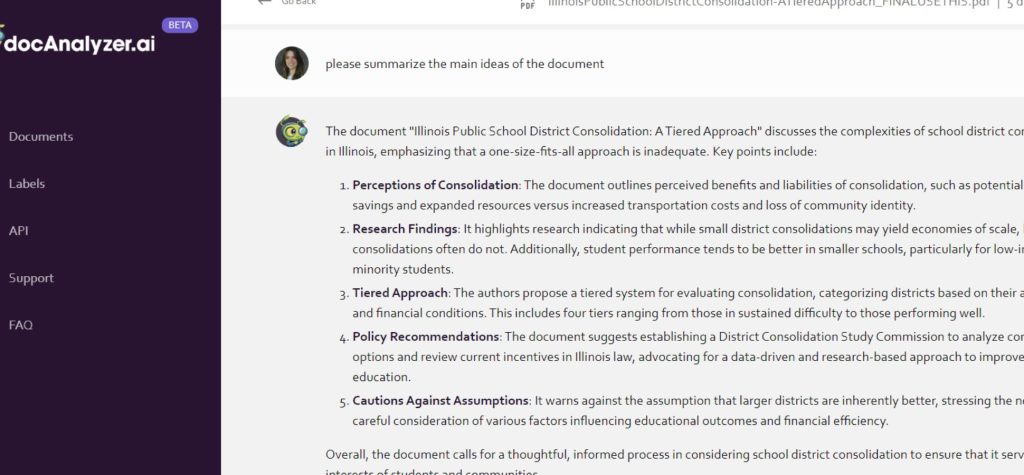
Claude.ai: quick installation and very easy to use. Claude’s summary is a little longer than the one provided by docAnalizer.ai, but I love its clean and seamless interface. The downside: its free version accepts documents that have only up to 5,3 MB, and it’s unclear how many documents can be uploaded.
ChatGPT: It’s free and even easier to use than Claude.ai. However, I found the summary a little fragmented and confusing.
QuillBot: the free version analyses only 1,200 words per document. All my files were longer than that.
UPDF: Although it’s an app and requires installation, it doesn’t work without an internet connection. The download is easy, but the setup prior to analysis has more steps than I would like to handle. Also, it summarizes the document by page, resulting in long and wordy answers.
Transcription
Notta: this tool transcribes up to 120 minutes without charging but allows the user to read the transcription of only three minutes of the recording, which isn’t very helpful.
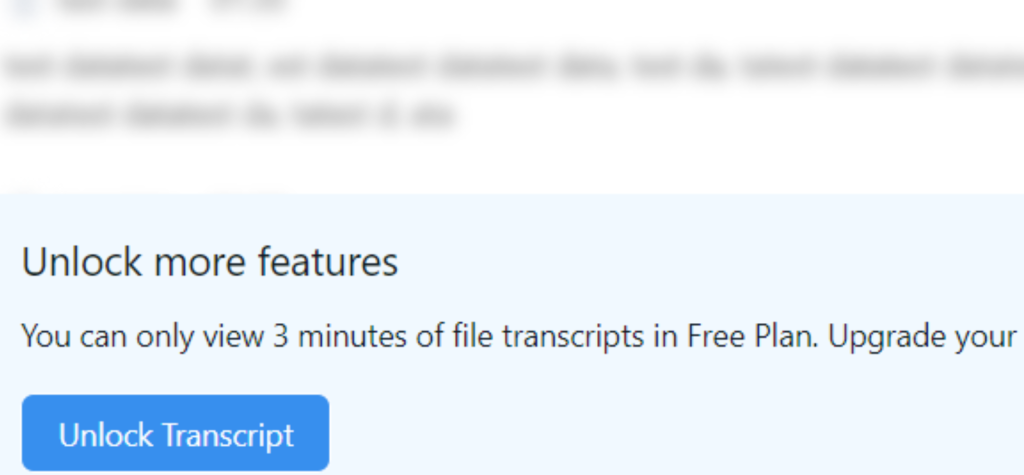
Audiotype: the website says the free version allows the upload of 10 documents, but it’s unclear if this limit refers to the whole free trial or per month. It supports only 5GB per file. I tried to use it but could only access the first 60 seconds of my first transcription.
Descript: It’s easy to use and pretty accurate, but I wish it was clearer about the remaining time on my free plan.
Otter: I tested the alternatives above, but Otter remains my favorite transcription tool. Its free version gives you access to three imports and 300 minutes in which Otter joins, summarizes and transcribes meetings.
Writing
ChatGPT: I pasted this whole article on ChatGPT and asked it to improve it. There were changes in tone, verbs were replaced and sentences were fragmented or combined. I did appreciate a few specific replacements but ignored more substantial suggestions. I didn’t like that I couldn’t accept or reject each change. It was hard to differentiate what I wrote from ChatGPT’s suggestions.
Lex: Launched last October, Lex is a text editor that checks for grammar, correctness and confidence and tailors tailor the text to a particular audience. I explored the audience feature and was disappointed. I wrote a prompt asking Lex to adapt my text to an entrepreneurial audience, which resulted in an inaccurate narrative in which I transitioned from law to entrepreneurship. The suggested headline: “Exploring the Potential of AI Tools for Entrepreneurs. Navigating the Landscape to Enhance Business Efficiency.” That’s not what my story is about.
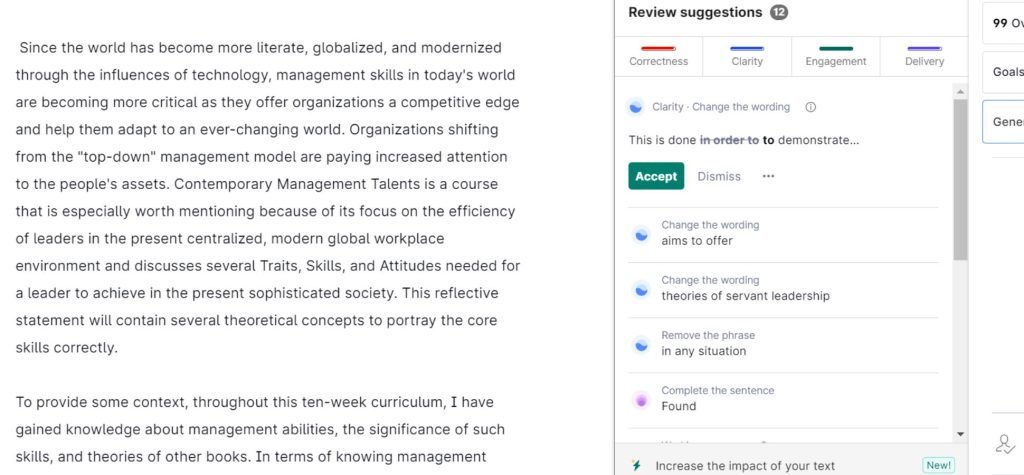
Grammarly: I confess I didn’t want to try different tools. I love how I can filter Grammarly’s features, ignoring suggestions to increase the impact of my text and limit it to grammatical issues, which allows me to improve my writing while keeping my voice and preserving the content. It has been my favorite tool for years, and the past week’s experience hasn’t changed that. I use the Premium version, which costs $12 a month, billed anually.
I would love to hear from you: What are your favorite AI tools?