As the modern workforce evolves, the hybrid work model has emerged as a dominant trend—blending in-office collaboration with the flexibility of remote work. This new approach offers the best of both worlds, but it also comes with its own set of challenges.
To succeed in such an environment, having the right tech accessories is essential.
Whether you’re transitioning between your home office and a shared workspace, hopping between meetings on the go, or setting up a semi-permanent station at home, the right tools can drastically enhance productivity, comfort, and overall work efficiency.
From ergonomic enhancements to wireless devices and productivity gadgets, hybrid workers need a thoughtfully curated setup that supports seamless workflow wherever they are. This article explores the must-have tech accessories that empower hybrid workers to thrive—helping you build a workspace that’s not only functional but also optimized for success.
Essential Tech Accessories for Hybrid Workers
The right combination of tech accessories can bridge the gap between comfort, connectivity, and efficiency—no matter where you’re working from.
In the following sections, we’ll break down the most impactful tools and devices across key categories to help you build a hybrid setup that supports focus, flexibility, and long-term success.
1. Ergonomic Workspace Enhancements

One of the most overlooked elements of remote and hybrid work is physical comfort.
Sitting in the wrong chair or hunching over a laptop for hours can cause fatigue, pain, and long-term health issues. That’s why ergonomic tech accessories are foundational to a productive hybrid setup.
Standing desks have quickly become a staple for hybrid professionals. Not only do they promote better posture, but they also combat the health risks associated with prolonged sitting. Some models even offer motorized adjustability, integrated USB ports, and compact designs that fit perfectly into any home office.
For those frequently switching locations, there are even portable standing desk converters that can transform any table into a dynamic workstation.
Pairing your desk with a quality laptop stand can also make a dramatic difference. Adjustable aluminum stands elevate your screen to eye level, minimizing neck strain and encouraging better alignment. Lightweight and collapsible, they’re ideal for hybrid professionals who need to set up shop in multiple locations.
And finally—of course, no ergonomic setup is complete without a well-designed office chair. Hybrid workers should invest in chairs with lumbar support, breathable mesh, and height adjustments to ensure long-term comfort.
2. Connectivity and Power Solutions
Hybrid workers often find themselves juggling multiple devices in varied environments—making seamless connectivity and reliable power sources indispensable.
A docking station is a game-changer for those moving between a home office and company headquarters. Docking stations offer a one-cable solution for connecting laptops to external monitors, keyboards, storage, and more. With built-in power delivery, these stations not only organize your tech but also keep it charged and ready to go.
Complementing this setup are USB hubs, which expand your laptop’s port capabilities. Whether you’re using USB-A, USB-C, or HDMI devices, a multi-port hub allows hybrid workers to stay connected without constantly switching cables.
Additionally, portable chargers and power banks are must-haves for hybrid workers who work from coffee shops, co-working spaces, or while traveling. High-capacity models with multiple output ports and fast-charging technology ensure your smartphone, earbuds, tablet, and other wireless devices remain charged throughout the day—without being tethered to a wall.
3. Audio and Visual Communication Tools
In the hybrid era, clear communication is non-negotiable. Whether you’re leading a virtual meeting or attending a webinar, investing in quality audio and visual gear is essential to maintaining professionalism and presence.
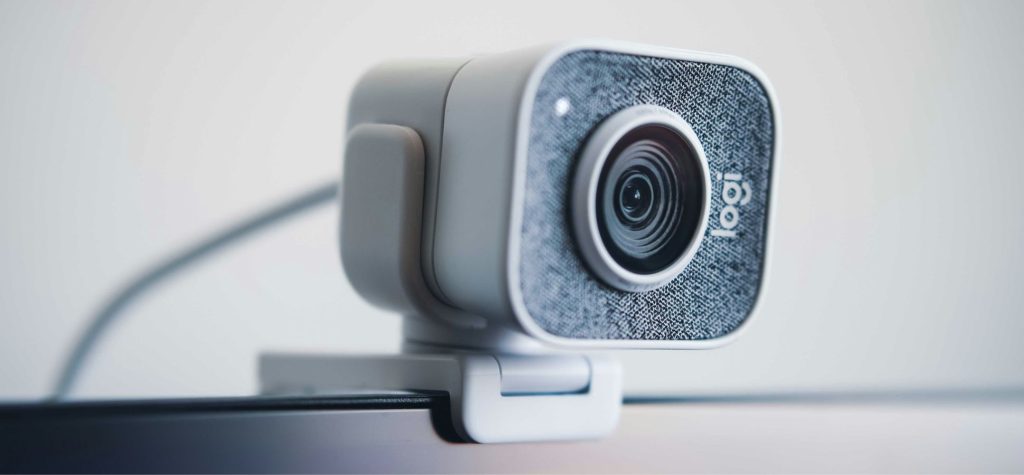
Start with a high-definition webcam. Many built-in laptop cameras fall short in low-light conditions or when high image quality is necessary. External webcams offer 1080p or even 4K resolution, autofocus, and wide-angle lenses—making your video calls feel more lifelike and engaging.
Equally important is the sound. A noise-canceling headset blocks background noise while delivering crisp audio—ensuring that you’re clearly heard during virtual meetings, even from a bustling café or shared workspace. Paired with a standalone USB microphone, this setup creates a broadcast-quality sound environment ideal for presentations, podcasting, or team collaboration.
For team discussions or calls with multiple participants, portable speakerphones like offer built-in microphones and echo cancellation, turning any room into a conference room.
4. Display and Monitor Options
Working across multiple applications or documents can quickly become tedious on a single small screen. That’s why having the right display setup is essential for hybrid workers who value efficiency.
External monitors have become a cornerstone of hybrid workspace setups. A high-resolution monitor can significantly enhance visual clarity and multitasking. With features such as flicker-free screens, adjustable stands, and USB-C connectivity, these displays integrate seamlessly into both home and office environments.
For professionals who frequently engage in design, data analysis, or video editing, dual-monitor setups can offer substantial productivity gains.
But what about those who are frequently on the move?
Portable monitors provide a flexible solution. Slim, lightweight, and powered via USB-C, some models offer plug-and-play functionality, enabling hybrid workers to maintain a dual-screen experience even from temporary work locations.
These monitors fold flat and fit easily into a laptop bag, making them perfect for travel or hot-desking.
5. Networking and Internet Stability

A strong, reliable internet connection is one of the most critical needs for hybrid professionals. Whether you’re video conferencing, uploading large files, or accessing cloud platforms, your workflow depends heavily on network performance.
Mesh Wi-Fi systems are designed to deliver consistent coverage across an entire home, eliminating dead zones that can disrupt virtual meetings or slow down productivity.
These systems ensure that every corner of your workspace—whether it’s the home office, bedroom, or backyard patio—receives fast, stable internet.
In cases where installing a mesh network isn’t feasible, Wi-Fi extenders offer a budget-friendly alternative. These devices plug directly into wall outlets and amplify your existing Wi-Fi signal, boosting speeds in harder-to-reach areas.
For hybrid workers splitting time between home and office, these tools can ensure seamless transitions between work environments without losing productivity to lagging connections.
6. Input Devices
When it comes to staying productive and comfortable during long work sessions, input devices make a noticeable difference.
Standard-issue keyboards and mice can lead to fatigue, repetitive strain, and even injury over time, which is why upgrading to ergonomic, responsive tools is worth the investment.
Wireless keyboards and mice offer smooth, customizable control that adapts to your workflow. The keyboard’s soft, quiet keys and the mouse’s ergonomic design reduce strain and allow for faster, more precise navigation. Some of these devices can also switch between multiple computers with a single button—an excellent feature for those using separate home and office systems.
For creative professionals—designers, illustrators, and architects—styluses and graphic tablets provide a level of precision that traditional tools can’t match. Brands offer digital tablets that integrate effortlessly with major creative software, enabling hybrid creatives to maintain their workflow no matter where they’re working from.
These tools are especially valuable for tasks that require handwriting, sketching, or detailed annotations.
7. Storage and Data Management
Losing data due to a system crash or connectivity issues can derail productivity—and that’s where dependable tech accessories come in.
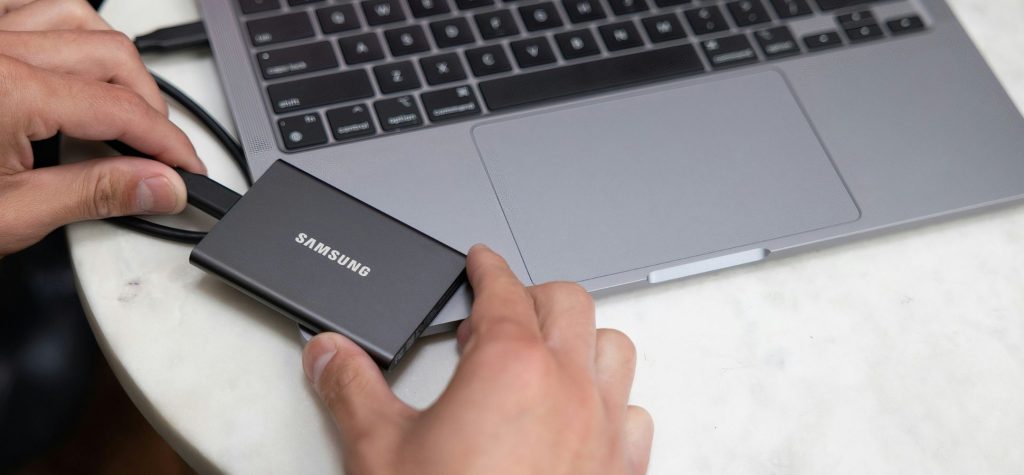
External hard drives and SSDs offer portable, high-capacity storage that can securely back up files or transfer data between office and home setups. Solid-state drives (SSDs), in particular, are fast, durable, and compact, making them ideal for hybrid professionals who need quick access to large files. Brands like Samsung and SanDisk offer models with encryption features for added data security.
In tandem with physical storage, cloud storage solutions are invaluable for hybrid work. Platforms such as Google Drive, Dropbox, and OneDrive enable users to access files from any location and any device—without relying solely on local drives. Integration with collaborative tools like Google Docs and Microsoft Teams allows for real-time edits, version control, and seamless teamwork across distributed teams.
8. Lighting and Ambiance
Creating a well-lit, comfortable environment isn’t just about aesthetics—it directly impacts productivity and well-being. Proper lighting reduces eye strain during long screen sessions, while a thoughtfully designed workspace can improve focus and reduce fatigue.
Desk lamps with adjustable brightness are a simple yet effective accessory for hybrid workers. Models with color temperature settings allow users to switch between warm and cool light, optimizing illumination for different tasks throughout the day. Smart lamps even offer app control and scheduling features to match your circadian rhythm.
Beyond task lighting, ambient lighting plays a crucial role in setting the tone of your workspace. Soft LED strips behind monitors or on shelves can reduce contrast and create a more pleasant visual atmosphere.
For video calls, ring lights or dedicated webcam lighting can dramatically improve on-screen appearance, making you look more professional and well-lit even in dim environments.
Tips for Selecting the Right Accessories
With so many tech options available, hybrid workers need to choose accessories that truly align with their needs.
Start by assessing your work habits. Do you spend more time at home or on the go? Are your tasks more creative, analytical, or communication-focused? Understanding your daily workflow helps determine which tools will provide the greatest benefit.
Budget considerations are also crucial. While premium gadgets offer enhanced features, many mid-range products provide excellent value without breaking the bank. Prioritize investments that have the greatest impact—like ergonomic gear and connectivity tools—and upgrade incrementally over time.
Don’t forget to check compatibility. Ensure that any device you choose works with your current hardware and operating system.
Reading user reviews and product specifications carefully can prevent costly mismatches and returns.
Conclusion
As hybrid work continues to redefine the modern workplace, investing in the right tech accessories is no longer optional—it’s a competitive advantage.
From ergonomic enhancements that support physical well-being to powerful connectivity tools that streamline communication, each accessory plays a vital role in helping workers stay efficient, comfortable, and engaged. By thoughtfully curating your hybrid workspace with these must-have gadgets and tools, you set yourself up for long-term success, no matter where your office happens to be.
Whether you’re upgrading your home setup or enhancing your on-the-go toolkit, the right tech accessories will transform the way you work.
Good luck!