In search engine results, a snippet is the short preview text that appears below a page’s title. For example, meta descriptions are the snippet text you control for your blog posts. However, Google also generates featured snippets – highlighted answer boxes at the very top of the SERP – that are drawn directly from page content to answer users’ queries. Entrepreneurial blogs can earn this “position zero” spot by crafting content that precisely answers common questions. This not only sets a business apart on Google (often above the #1 organic link) but also boosts click-throughs and brand visibility.
What Are Featured Snippets?
A Google featured snippet is a snippet of content (text, list, table, or video) displayed at the top of the search results in a box, giving a quick answer to the user’s question. Since it appears above the first organic result, it’s often called “position zero.” For example, when someone searches “what is the low-carb diet”, Google may pull the definition directly into a snippet box.
According to Google, featured snippets appear when the system determines that users are seeking concise answers and can benefit from seeing the relevant content right away. In practice, this means the search query often takes a question form (who, what, how, why, etc.) and the page content must directly address it.
Studies show snippets significantly increase organic CTR and traffic. Smart business owners can leverage that free visibility to drive more visitors. Featured snippets also feed voice assistants: Google’s support docs note snippets help mobile and voice search users find answers faster. In short, when an entrepreneur’s article earns a snippet, it can attract more clicks, build trust, and even have its answer read aloud on smart speakers
Types of Featured Snippets

Featured snippets come in a few common formats. Google primarily shows four types:
- Paragraphs
- Lists
- Tables
- Videos.
Understanding these types helps entrepreneurs format their content appropriately.
Paragraph Snippets
This is the most common format. A paragraph snippet provides a short, direct answer or definition to a query. It usually appears as a block of text (often 40–60 words long) pulled from a page. Google highlights the most relevant sentence(s) (sometimes even bolding keywords) to answer the question.
Paragraph snippets are triggered by “what is…”, “who is…”, “how to…”, and similar questions. For example, searching “what is keyword research” might yield a snippet that begins “Keyword research is…” followed by a brief definition. To win these, make sure your blog clearly and succinctly defines terms or answers common questions early in a section of your content.
Numbered (Ordered) List Snippets
These appear when the best answer involves a sequence of steps. Google formats them as a numbered list. They are ideal for “how to” queries or any question that implies a process (e.g., “How to start a podcast”). Each list item comes from the page content in order. Entrepreneurs writing tutorials or process guides should format key steps as ordered HTML lists. Start each item with an actionable verb (e.g., “First,… Next,… Then…”) to match what Google looks for. Often, the snippet will include up to 5–6 steps, so keep lists focused (Google’s research suggests ideal list snippets have around six items).
Bulleted (Unordered) List Snippets
These display as a simple bullet-point list (no specific order needed). Google uses bullets when presenting multiple related points (e.g., tips, examples, or sets that are not sequential). For instance, a list of reasons, features, or examples (“What are common SEO blog tips?”) might be shown as bullets. To optimize, format lists in your post using HTML <ul> tags. Keep each bullet concise (usually one sentence or phrase). Google often shows up to 5–7 bullets. Being the source of a helpful bulleted list can grab that top slot for relevant queries.
Table Snippets
When query answers involve data or comparisons, Google may extract an HTML table from your page. For example, a table of sizes, prices, schedules, or statistics can become a snippet if it clearly answers the question. A data table snippet often shows the first few rows (Google’s research suggests about 5 rows typically). To target tables, present key information in clean table format on your site, with a logical header row. This is great for entrepreneurs comparing products, pricing tiers, or any scenario where facts in columns make sense.
Video Snippets
These include an embedded video thumbnail (often from YouTube) with a timestamp that directly answers a query. Google essentially takes a screenshot of a relevant video segment (for instance, a “how-to” tutorial) and puts it in the results. To capture these, entrepreneurs should host helpful video content (e.g., on YouTube) with clear titles. Ensure the video’s title and description match the question format. If your blog accompanies a video guide, optimizing the page (and the video) for the query can help your video snippet appear in the featured spot.
Why Featured Snippets Matter for SEO, Voice Search, and CTR
Owning a featured snippet can transform an entrepreneur’s search traffic and brand presence. First, being in position zero means you rank above all other organic results. As Ahrefs notes, earning the featured snippet puts you “ahead of position one,” capturing a larger share of attention. The snippet box is more prominent (sometimes including images), so users notice it first.
Click-through rate
This typically leads to a higher click-through rate. Industry data show that featured snippets can generate disproportionately high CTR – one study found that answer boxes secured about 32% CTR, and Ahrefs’ research suggests featured snippets get roughly 8.6% of clicks on pages that have them. Even if the user doesn’t click (because they got the answer immediately), seeing your brand name and content answer builds trust.
For entrepreneurs, that increased visibility is gold. More clicks mean more visitors who can convert to customers or subscribers. Moreover, being quoted directly in Google’s answer highlights your content’s authority. As WPBeginner puts it, smart business owners strive for featured snippets because they “improve your organic click-through rate and bring more free traffic to your website”. When Google reads your answer to searchers, it signals credibility.
Voice search
Featured snippets are also critical for voice search. Home assistants and mobile voice queries rely on those concise answers. Google’s documentation explicitly notes that featured snippets are particularly useful for mobile and voice users. Fast Company reports that as “voice searches and conversational queries become more common, featured snippets are a way to answer the questions people are actually asking,” thus improving brand visibility. In fact, Quora and others warn that voice assistants often pull directly from featured snippet text. That means if your content is the source, your brand is effectively the “voice” that answers queries on Alexa or Google Home.
Competitive impact
Finally, consider the competitive impact. Not all queries have featured snippets (around 10–15% of search queries include one). For those that do, snippet winners can steal clicks from the usual top-ranked site. An analysis found that if a featured snippet exists, the click share of the #1 result drops significantly. In practice, that means grabbing the snippet can be a shortcut to leapfrogging larger competitors in traffic. For startups and small businesses on limited marketing budgets, snippet optimization is like free prime-page advertising. It increases public exposure (people associate the snippet answer with your brand) and can position your venture as an expert in your niche.
Best Practices for Optimizing Content for Featured Snippets
To capture snippets, entrepreneurs should optimize their blog content in focused ways. Here are key strategies:
Research Snippet-Worthy Queries
Start by finding which searches already trigger a snippet. Use tools like SEMrush or Ahrefs Keyword Explorer to filter keywords for SERP features, or simply search for your target terms and see if Google shows an answer box. Focus on question and long-tail keywords (e.g., “how to…” or “what is…”). The Hop Online guide advises targeting queries that already have featured snippets. Also check Google’s “People also ask” questions on related topics – these are great hints at user questions your content can answer.
Organize Content with Clear Headings
Use descriptive H2 and H3 headings that mirror likely questions. A common recommendation is to phrase a heading as the question (e.g., “How to optimize for Google Snippets”) and then answer it immediately below. Google parses headings to understand structure, so clear labels help it find your answer. For example, if you want to capture “what are SEO blog snippets,” an H2 might be “What Are SEO Blog Snippets and Google Snippets?” (just like our outline!). This tells Google the paragraph under it directly addresses that query.
Provide Concise, Direct Answers
In the paragraph immediately following a heading, give a short (typically 40–60 words) answer to the question. Leading with the answer in the first 50 words is effective. For instance, start with “A featured snippet is…” or “Featured snippets are…” to match the query wording. Google favors brevity in snippets, so avoid filler. Summarize or define things clearly. If the average snippet is 40–60 words, aim for that length. This approach increases the chance Google will grab exactly that text as the snippet.
Use Lists and Tables for Structure
If the search intent is a list or a comparison, format your content accordingly. For list snippets, write out the items in either <ol> or <ul> tags with each list item as a standalone sentence fragment or short sentence. For table snippets, present data in an HTML table. Structured markup helps Google select the correct format. In our example above, we created HTML lists and tables (not shown here) so Google could display them in the answer box. Organizing content this way caters directly to snippet formats.
Add Schema Markup Where Relevant
While Google’s systems pick featured snippets algorithmically, using structured data can strengthen context. Implement the FAQPage or HowTo schema on pages with appropriate content. This helps Google better understand that a paragraph is a question/answer or a step-by-step guide. Even if the schema itself shows up as a rich result instead of a snippet, it signals that your content is set up as answers to questions, which can indirectly boost snippet potential. Also include another schema (Organization, BlogPosting, localBusiness, etc.) to build overall site trust.
Optimize Images and Videos
High-quality images with descriptive alt text can actually appear alongside paragraph snippets, and videos can become video snippets. If your answer benefits from a graphic (e.g., a chart or diagram), include it so Google has an image to pull. For video snippet optimization, ensure the video title/description answers the query. For example, a YouTube tutorial titled “How to fix a leaky faucet” can become a snippet for that query. Always tag images meaningfully (alt tags, file names) to improve indexation.
Write Authoritative, Updated Content
Google favors content that demonstrates experience and reliability (E-E-A-T). Entrepreneurs should ensure answers are factual and well-cited. Update posts regularly to keep information current – refreshed content is more likely to maintain or win a snippet. Include statistics or quotes from industry sources to back claims, as Google noted quality of the answer is key. A regularly updated, trustworthy post is more snippet-worthy than an outdated one.
Use Blog Meta Smartly
Although meta descriptions themselves don’t influence snippet selection, writing a compelling meta snippet for your blog can improve click-throughs from regular search results (if Google doesn’t show a featured snippet). Think of your meta description as another snippet: use your target keywords and a clear value proposition in it to encourage clicks. This is part of “snippet optimization” in the broader sense. But remember, for a featured snippet you have less control – Google chooses the content it displays. So, focus on the on-page content structure as above.
Common Mistakes to Avoid
Even with great content, certain pitfalls can keep you out of snippets:
- Too-long answers: Writing paragraphs that ramble or exceed Google’s preferred snippet length is a common mistake. If your answer is a long-winded paragraph, Google may not select it. Keep answers tight and focused. The Hop Online FAQ warns against “overly long answers” as a snippet risk.
- Ignoring formatting and structure: If you expect a list snippet but your content isn’t formatted as a list (or you fail to include any HTML lists), Google won’t pull it as a list. Similarly, neglecting headings means Google can’t easily identify the question. Always use proper headings (<h2>, <h3>) and list/table markup. Treat the structure of the page as you would a mini-FAQ.
- Not matching query intent: Writing about a broad topic when people are asking a specific question can hurt your chances. For example, if users want a step-by-step “how” and your content only gives a narrative, you’ll miss out. Align your content type to the snippet type on the SERP. If Google shows bullet points for that keyword (as in “list of tips”), answer with a bullet list.
- Content duplication: Simply copying the snippet answer from a Q&A site or another blog (sometimes called “snippet stealing”) can backfire. Google tends to show content in context. Provide an original explanation or a unique spin. If you plagiarize, you’re unlikely to rank for the snippet.
- Neglecting updates: A previously earned snippet can be lost if your page becomes stale. For instance, FAQs with outdated info or statistics might get replaced by fresher content elsewhere. Regularly revisit pages that earn snippets and make sure they stay accurate and current.
- Risk of no-click search: One concern is that if a snippet fully answers the query, the user may not click through (“position zero” might cannibalize clicks). While that’s true to an extent, it’s generally better to have the snippet than not. Still, ensure your snippet-sized answer invites further reading – e.g., mention there’s more detail below. Focus on driving broader site engagement, not just snippet rank.
Tools to Monitor Featured Snippet Performance
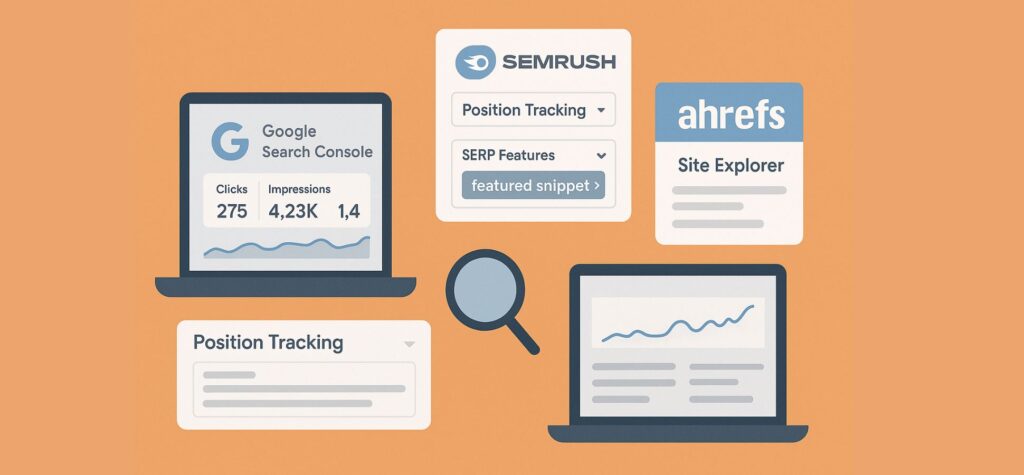
Tracking how your content performs in SERPs helps refine your snippet strategy. Useful tools include:
- Google Search Console (GSC): The Performance report lets you see which queries your pages rank for, along with impressions, clicks, and average position. While GSC doesn’t label “featured snippet” explicitly, you can infer snippet presence if a page suddenly gets a high position and higher CTR on a question query.
- SEMrush: SEMrush’s Position Tracking tool can monitor SERP features. Set up tracking for your target keywords and turn on the SERP Features filter for featured snippets. You’ll see if and when a snippet appears, and whether it shifts to your URL..
- Ahrefs: Ahrefs’ Site Explorer or Keywords Explorer has filters for SERP features. For example, in Site Explorer’s Organic Keywords report, you can apply a “SERP features” filter and select “Featured snippet”. This shows keywords where your site currently ranks in a snippet.
- Other SEO tools: Platforms like Moz, Serpstat, and AnswerThePublic can help identify question queries and track SERP features. AnswerThePublic, for example, lists common questions around a topic. Also consider Google Analytics to see if pages that earn snippets have increased traffic. The combination of rank trackers and analytics gives a full picture of snippet impact.
Conclusion
For entrepreneurs and content creators, featured snippets represent a powerful opportunity to stand out in Google’s search results without spending a dime on ads. By targeting common questions, structuring content with clear headings and concise answers, and using formats like lists and tables, your blog can earn the coveted “position zero.” This not only drives more organic traffic but also builds trust, authority, and even voice-search visibility for your brand.